Whop is one of the fastest-growing marketplaces for digital products — and most successful sellers on it are running paid ads. Discord communities, tools, templates, bots, courses, coaching — the Whop ecosystem runs on traffic. But Whop's seller dashboard is built to show you sales, not profitability. It won't tell you whether the $900 you spent on Meta Ads yesterday was covered by the $1,300 in membership revenue that settled. To answer that, you need to track cash in (Whop payouts) against cash out (ad spend + fees + overhead) by day.
What Whop shows you (and what it doesn't)
Whop's seller dashboard gives you:
- Revenue and sales by product
- Active subscriber and member counts
- New signups by day and traffic source (with UTM support)
- Churn and cancellation data
- Affiliate performance (if using Whop Affiliates)
What Whop doesn't show:
- Daily profit: No cash in minus ad spend by day
- Ad spend: No Meta Ads, Google Ads, or TikTok Ads integration
- Net of acquisition costs: Revenue totals don't subtract what you spent to acquire buyers
- Real cash flow: Whop payouts follow their own schedule — not the order date in your dashboard
Whop answers "how many people bought and how much did they pay?" It doesn't answer "did I make money yesterday?" That's the gap.

Know if yesterday was profitable — before your coffee.
Try NetDay freeFree 7-day trial · No credit card required
How Whop pays sellers
Understanding Whop's payment flow is important before setting up profit tracking:
Whop acts as the merchant of record in most cases. Buyers pay Whop, and Whop pays sellers on a regular schedule. Whop uses Stripe Connect infrastructure on its end, but whether that means your payouts appear in your own Stripe dashboard depends on your account type.
For most Whop sellers, the payout flow looks like:
- Customer pays → Whop collects payment
- Whop deducts its fee (3% for standard Whop plans)
- Whop pays you out to your bank account on a scheduled basis (weekly or faster depending on your tier)
The practical implication for profit tracking: Your Whop revenue isn't tracked in real-time — it's reported in your Whop seller dashboard and arrives as bank deposits. For daily P&L, the cleanest source of truth is your Whop seller dashboard + your ad platform data, compared against your bank deposits over time.
If you also sell outside of Whop directly (via Stripe-connected checkouts, SamCart, ThriveCart, etc.), those payments DO appear in your Stripe account and can be tracked directly. For that scenario, see daily P&L for info products.
The real question Whop sellers need to answer
Almost every Whop seller running ads is asking some version of:
"Am I spending more to acquire members than I'm making from them?"
This is a customer acquisition cost (CAC) vs. revenue question, and it has two layers:
Layer 1: Daily cash flow
Is today's Whop revenue covering today's ad spend? This is the survival question — can you sustain this ad budget right now without going negative?
Layer 2: Payback period
Even if you're cash-flow negative today, will the recurring revenue from today's new subscribers pay back your acquisition cost in a reasonable time frame?
For most Whop sellers with monthly subscriptions, you need to know both. Daily cash flow tells you if you can keep the ads running. Payback period tells you if the business model is sound.
How to calculate daily profit for Whop sellers
Option 1: Simple daily check (recommended to start)
Pull two numbers each day:
- Whop revenue that day: From your Whop seller dashboard — new sales + renewals for the day
- Ad spend that day: From Meta Ads Manager or Google Ads — total spend for the calendar day
Daily net = Revenue − ad spend − Whop fee (3%) − other overhead
This gives you a directional answer fast. It's not perfectly accurate (Whop revenue in the dashboard isn't the same as cash settled in your bank), but it tells you if you're in the right ballpark.
Option 2: Bank-based tracking (more accurate)
Track your actual Whop bank deposits against the ad spend you incurred in the same week. This is cash-based and aligns with real money movement. More accurate, slightly more manual.
Option 3: Stripe-connected (if applicable)
If you sell digital products outside Whop — directly through Stripe, through a tool like SamCart or ThriveCart — connect Stripe to NetDay for that revenue stream. Layer your Whop revenue on top manually or separately. This gives you a complete picture if Whop is one of multiple revenue channels.
The acquisition cost math for Whop products
Here's the math that determines whether your Whop paid traffic strategy works:
Monthly subscription: $29/month
- Whop fee (3%): $0.87
- Your monthly revenue per subscriber: $28.13
- Average meta ad cost to acquire one subscriber: $18
- Payback period: < 1 month — immediately profitable
Monthly subscription: $15/month
- Whop fee: $0.45
- Your monthly revenue per subscriber: $14.55
- Average meta ad cost to acquire: $18
- Payback period: ~1.2 months — profitable from month 2
Monthly subscription: $9.99/month
- Whop fee: $0.30
- Your monthly revenue per subscriber: $9.69
- Average meta ad cost to acquire: $18
- Payback period: ~2 months — requires 3 months retention to generate meaningful profit
The lower your price point, the longer your payback period — and the more critical retention becomes. Daily P&L tells you if today's economics work. Retention data (how many subscribers churn monthly) tells you if the full model is sustainable.
For more on recurring revenue and daily cash flow, see membership site profit tracking.
What high-performing Whop sellers actually track
The Whop sellers making consistent money from paid traffic track three numbers daily:
- Daily ad spend: Meta Ads or Google Ads, from the platform dashboard
- New subscriber revenue: New sales × average price, net of Whop's fee
- Renewal revenue: Existing subscriber renewals that day
The key insight: renewal revenue de-risks your ad spend. If you have 500 existing subscribers paying $29/month, that's roughly $460/day in expected renewal revenue (accounting for churn). Any day your ad spend is below $460, you're cash-flow positive even before new subscriber acquisitions. The more renewals you have, the more aggressively you can run acquisition ads.
For more on this dynamic, see daily P&L for info products and how to know if ads are making money.
Common mistakes Whop sellers make with profit tracking
Mistake 1: Using gross revenue without subtracting Whop's fee Whop takes 3% (on standard plans). On $10,000/month in revenue, that's $300/month — worth accounting for.
Mistake 2: Comparing total monthly revenue to total monthly ad spend Monthly aggregates hide bad weeks. A good first week can mask three bad weeks. Track weekly at minimum, daily if you're scaling.
Mistake 3: Not accounting for churn in CAC math If average subscriber churn is 40% monthly, a $29/month product only delivers about 2.5 months of revenue on average (~$72 LTV). If your acquisition cost is $25, you're profitable — but not by much. If your acquisition cost is $35, you're losing money even though the payback looks okay for month 1.
Mistake 4: Attributing all revenue to current ads When you have existing subscribers, their renewals inflate your apparent daily revenue. New subscriber acquisition is more expensive than aggregate revenue ÷ ad spend suggests. Track new subscriber economics separately from renewal revenue.
Common questions
Does Whop show profit or ad spend?
No. Whop's seller dashboard shows revenue, subscribers, and product performance. It doesn't connect to Meta Ads or Google Ads, track ad spend, or calculate net profit after acquisition costs.
How do I know if my Whop product ads are profitable?
Track your Whop revenue against your daily ad spend from Meta or Google Ads. Cash in minus ad spend minus costs equals your daily net. If it's positive consistently, your ads are working. If negative, you're spending more to acquire customers than you're earning.
Does Whop use Stripe?
Whop uses Stripe Connect for seller payouts. Whop acts as the merchant of record in most cases, and your payouts flow through Whop's Stripe infrastructure rather than your own standalone Stripe account. Whop pays sellers on a regular payout schedule to your bank.
What's a good profit margin for a Whop product with paid ads?
It depends on your price point and ad costs. At $29/month with $15 acquisition cost, you break even in roughly 2 months. At $99/month with the same acquisition cost, month 1 is already profitable. Daily P&L tracking tells you where you actually stand, not where the math says you should be.
Whop grows your audience. Profit tracking tells you if the ads making that happen are worth it. Try NetDay free for 7 days — connect your ad accounts and see your daily numbers. No credit card required.

Written by
MalikFounder
Founder of NetDay. Builds tools for operators who run paid traffic and need to know if they made money yesterday.
Related Articles

Running Meta Ads and Stripe? How to Avoid Month-End Surprises
Your Meta Ads and Stripe numbers look great all month—then the bank tells a different story. Here's why it happens and how to catch it before day 30.
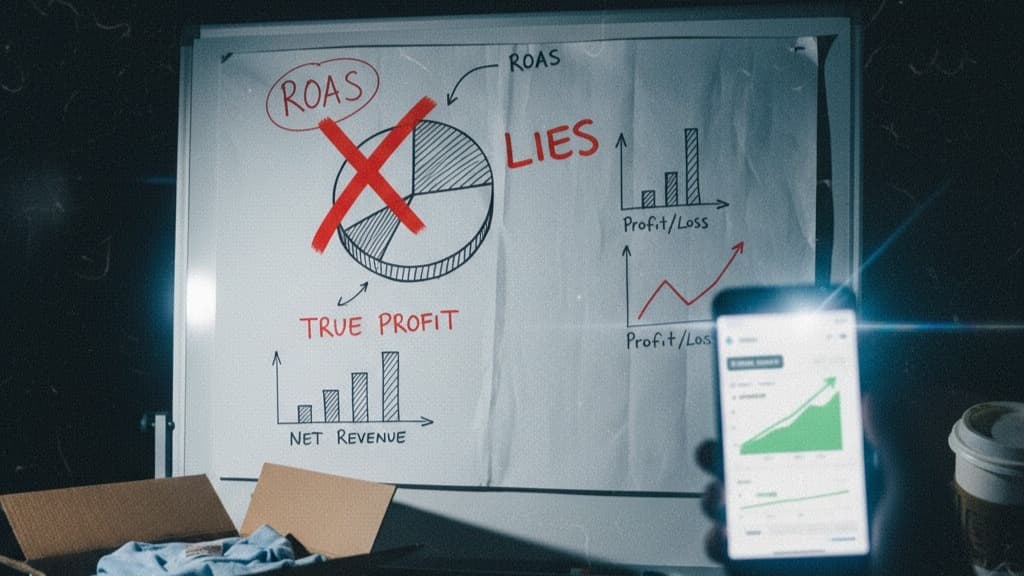
Why ROAS Lies (And What to Look At Instead for Real Profitability)
Your ROAS says 3x but your bank account disagrees. Here's exactly why ROAS misleads ad-dependent businesses—and the metric that actually shows daily profit.
How to Know If Yesterday Was Profitable When You Run Meta Ads
Know if yesterday was profitable with Meta Ads: cash in from Stripe minus that day's ad spend, by calendar day. How to get that number (no spreadsheets).
Generate clarity from your cash — automatically.
Stop guessing if ads made money. NetDay shows your real cash in and out by day.
- 30-day money-back guarantee
- Real cash movements by day
- Cancel anytime